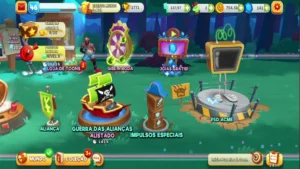
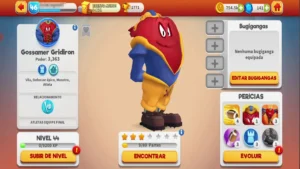
About:
Build your epic toon team and wage wacky battles for control of the Looney Tunes World of Mayhem. Ready to finally drop an Acme safe on Road Runner? Now you can. Is it rabbit season or duck season? This time, you decide.
Studio: Aquiris Game Studio.
Engine: Unity3D.
Platform: Mobile.
Launch day: Nov, 2018.
Development Period: Oct, 2018 – Set, 2020
My Role:
- Contributed extensively to UI development.
- Created particle VFX for UI elements.
- Worked on pipeline optimization initiatives.
- Helped improve the asset bundle pipeline.
- Contributed to UI performance optimization.
- Supported overall game optimization efforts.
- Developed a custom UI component called Mesh Image, enabling the integration of 3D objects within the Unity UI pipeline.
Some Work Examples:
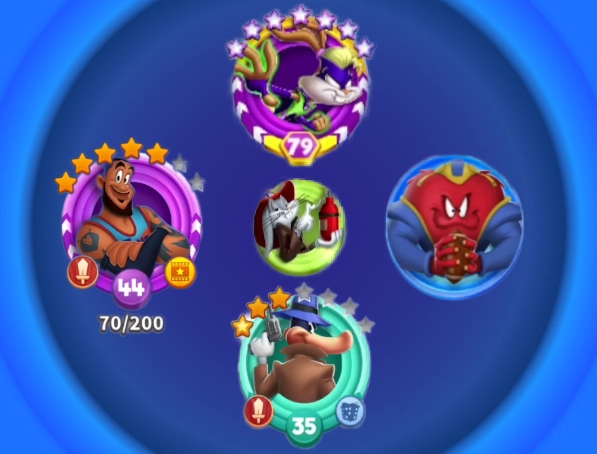
Character List/Portraits:
I chose this UI screen because it highlights both performance optimization and long-term maintainability improvements. Each Looney Tunes portrait (internally called a “Tazo”) used its own Animator component, and on this screen, every Animator was active simultaneously. As the character roster continued to grow throughout the project’s lifetime, this approach became increasingly expensive and difficult to scale.
To address the performance issue, I developed a system that only enabled Animators for portraits currently visible on screen. This significantly reduced the CPU overhead associated with updating large numbers of inactive UI elements.
In addition, the project contained several different Tazo variants, and new variations were regularly introduced during development. To improve maintainability and reduce the risk of errors, I migrated the entire Tazo system to Unity’s Nested Prefab workflow. I also documented and mapped the parent-child relationships between variants, making it easier for team members to modify existing assets while reducing the risk of accidentally breaking prefab inheritance.
Alliance Wars:
This feature began as a pre-production effort focused on identifying the most scalable and performance-friendly implementation. One of the primary goals was to create a system that would remain flexible enough for the Live Ops team to update and customize its visuals without requiring engineering support.
From a performance perspective, my objective was to minimize rendering costs by reducing draw calls as much as possible. To achieve this, I worked closely with a 3D artist to optimize the tower meshes and keep them within Unity’s Dynamic Batching vertex limits. This required careful control of mesh complexity and vertex count, allowing multiple towers sharing the same material to be batched together and rendered with significantly fewer draw calls.
The connection lines between towers followed the same optimization strategy. Instead of set multiple materials parameters or mesh variations to represent different states, I implemented a vertex color-driven solution that allowed all state changes to be handled without modifying material parameters. This approach preserved batching compatibility and significantly reduced the number of draw calls generated by the map.
By combining mesh optimization, batching-friendly assets, and vertex color-based state management, the feature remained both performant and easy to expand throughout the project’s live service lifecycle.